Free AI Image Checker
Is that photo real or AI-generated? Upload it for an AI-likelihood score, or explore two images we’ve already checked. Free, no account needed, and your image is never stored.
Or explore an example. Examples don’t use a free check.
Real photo or AI image? Two checks explained
A surprising scene and a convincing portrait can tell very different stories. We checked these exact files on October 6, 2026, then compared the scores with their documented origins.
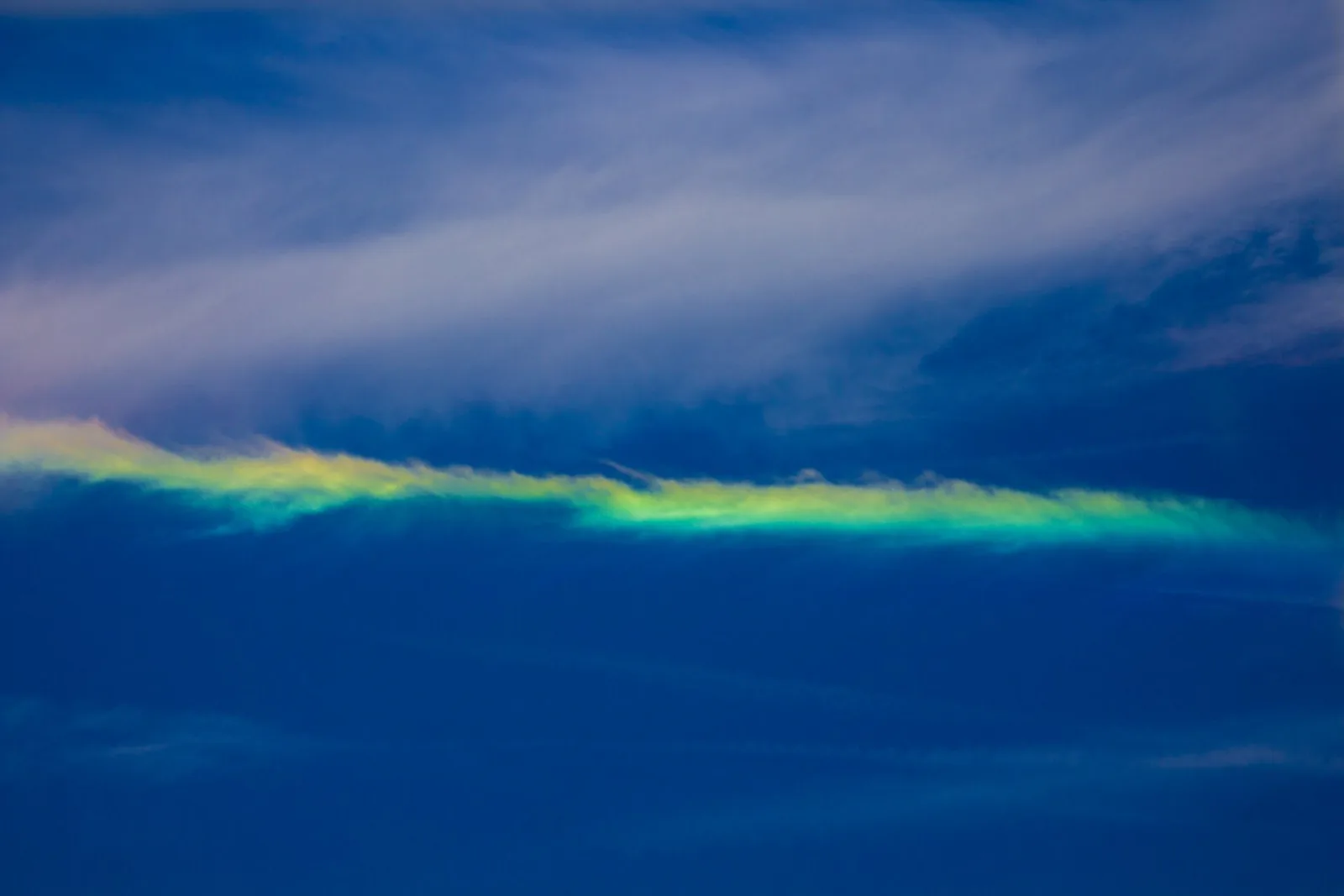
The fire rainbow
0% AI score · Camera photograph
This rainbow-colored cloud is a photographed circumhorizontal arc. Its unusual colors are a reason to check the source, and the recorded detector result shows a low AI score.
Photo by LanceNickel · CC BY-SA 4.0
.jpg)
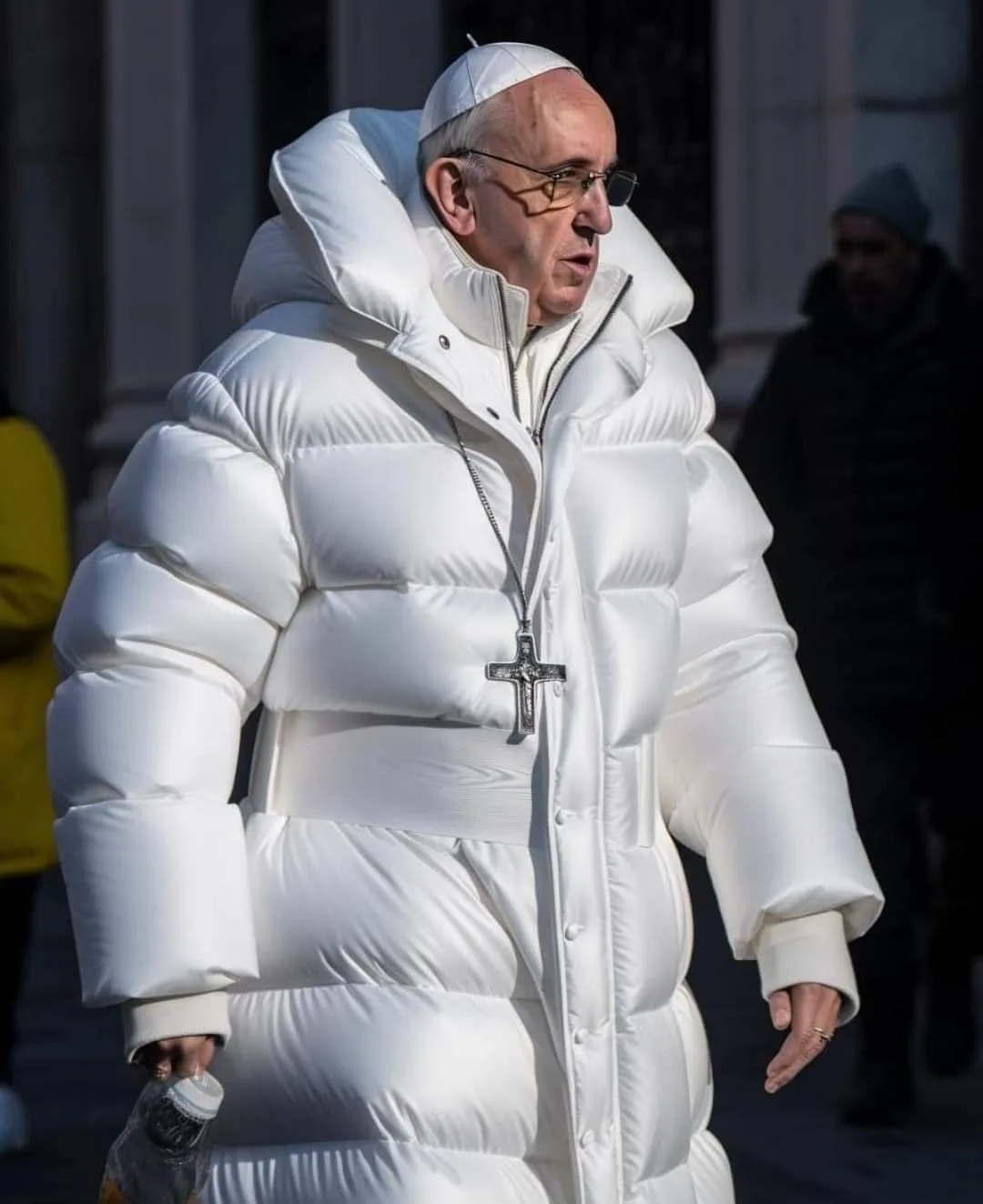
The puffer-jacket Pope
99% AI score · AI-generated with Midjourney
This viral image was made with Midjourney. Look closely at the hand holding the cup, then compare that detail with the high AI score and the documented source.
Midjourney image by Pablo Xavier · Public domain (AI-generated)

How the AI image checker works
Drop in a JPEG, PNG, WebP, or GIF and this AI photo detector analyzes statistical patterns in the image. You get back a 0-100% confidence score showing how likely the image is to be AI-generated, with a green, yellow, or red result.
Your image passes through our server to the detection engine and back. It is never written to storage, never logged, and never used for anything else.
Reading your result
A higher score means the detector found more signals associated with AI-generated images; a lower score means it found more signals associated with camera-made images. Our guide to spotting AI-generated images covers seven visual checks, and this explainer covers what detector scores really mean.
| AI score | Result | What to do next |
|---|---|---|
| 0–29% | Likely authentic | Compare the original source with what the photo claims to show. |
| 30–69% | Inconclusive | Try the original file and examine the image’s source and details. |
| 70–100% | Likely AI-generated | Look for the creator’s disclosure and check the details in the image. |
Explore more ways to check an image
AI Detector gives you a fast way to review a photo before sharing or publishing. You can also explore the image in more detail:
- Source: find the earliest post or original file, then compare the claim with a reverse image search.
- Provenance: look for Content Credentials or other creation information. A present record can be useful; a missing record is not evidence that a photo is real.
- Pixels: inspect text, hands, lighting, repeated textures, and background details, then compare those clues with the checker score.
See the full 60-second image verification workflow for a practical order of operations.
Checking a video instead? The free AI video checker works the same way.
Want to check more photos?
Check a photo with the free web checker. AI Detector on the App Store and Google Play gives you fast checks in under 3 seconds each, direct import from Photos, Files, or camera, and a private history of your recent checks. If you are on an iPhone, see the step-by-step iPhone guide.
Free AI image checker questions
Is the AI image checker free?
Yes. You can check one image per day for free, without an account. You can explore the recorded examples as often as you like. For more checks and a history of your results, get the AI Detector app.
Are photos uploaded to the AI image checker stored?
No. The image is held in memory while the request is processed and is not written to site storage or logs. It is sent to the detection provider for analysis and then discarded.
What does a low AI score mean?
A low score means the image has more characteristics associated with camera photographs than AI-generated images.
Can the checker analyze a screenshot?
Yes, but screenshots and social-media downloads are often compressed or resized. Those changes can remove useful signals, so use the original image when you can and treat a screenshot result with more caution.
Which image should I upload?
Upload a clear JPEG, PNG, WebP, or GIF up to 10MB. Choose the original photo from your library or files for the best image quality.
Can I detect images made with ChatGPT or Midjourney?
The checker analyzes image patterns associated with AI generation, including images from tools such as ChatGPT and Midjourney. It returns an AI score rather than identifying the exact generator. Start with the original file for the clearest image detail.
Download AI Detector
Available on the App Store and Google Play.