Is This Image AI? How to Tell in 60 Seconds

Start with a 60-second check of the image in front of you. Zoom in on hands, teeth, and any text. Check that the light and the shadows agree. Follow long lines in the background and see if they stay plausible. Then confirm what you see with provenance data or an AI image checker. Use the results to decide which details to investigate.
This guide walks through that minute in order, explains what each clue really tells you, and shows where the newest generators slip past every quick test. If you want the longer checklist, our guide to spotting AI-generated images covers seven checks in detail.
The 60-second check
Work through these in order. Stop as soon as something looks clearly wrong, and slow down when you reach a detail you cannot explain.
- Hands, teeth, and ears. Extra or fused fingers, thumbs bending the wrong way, teeth that blur into one strip, and earrings that do not match between ears are still common failures.
- Text and logos. Signs, labels, and clothing print are a weak spot. Look for letters that are almost right or brand names with subtly wrong spelling.
- Light and shadows. Real photos can have several light sources. AI images often light a face from one side while the shadow falls the other way, or show reflections that do not match the scene.
- Background logic. Follow fences, door frames, and railings. Straight lines that bend, chairs with extra legs, and crowds with smeared faces are giveaways.
- Texture. Skin with no pores, fabric and foliage that repeat in unnatural tiles, and studio detail on a supposedly casual phone photo all point the same way.
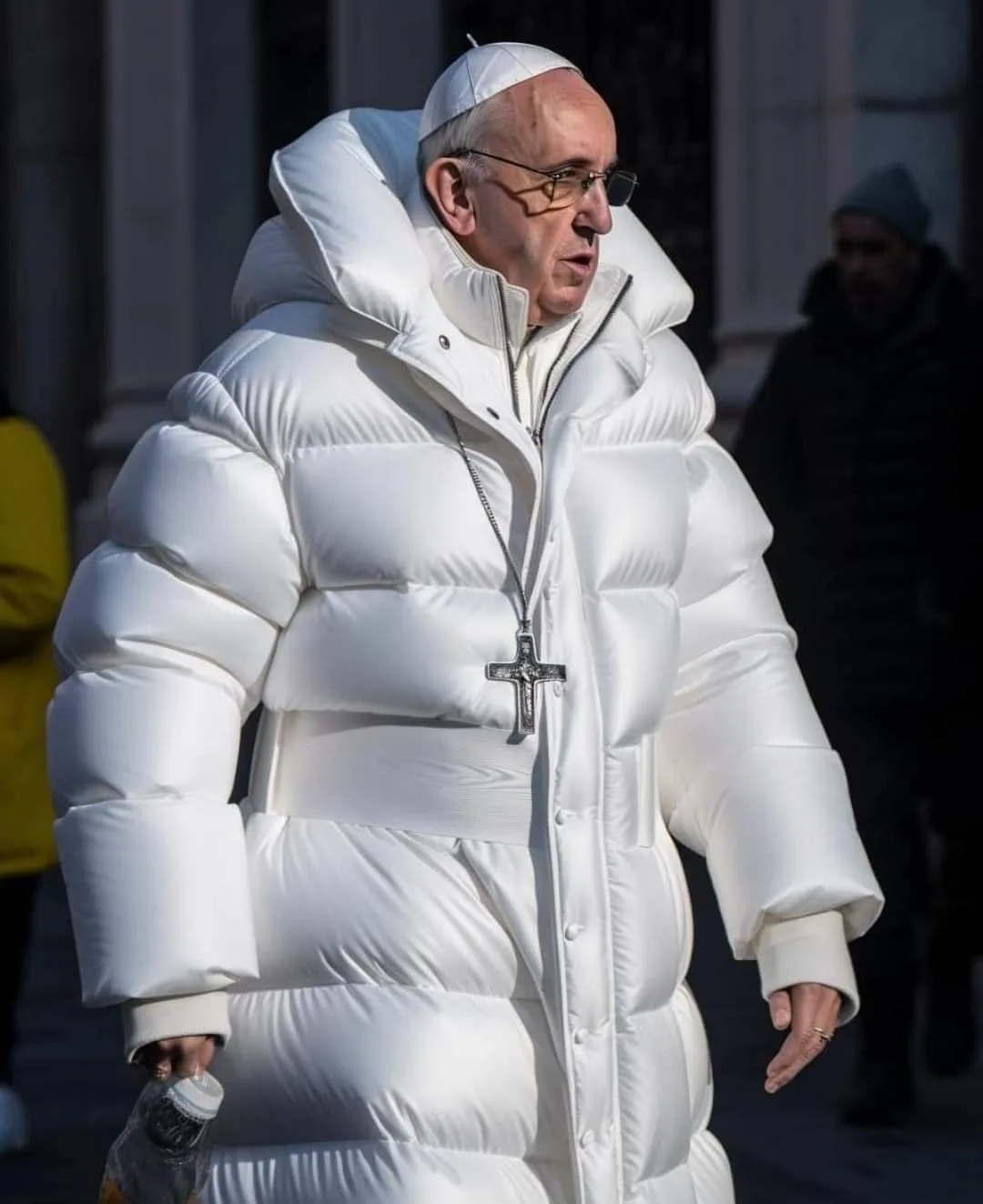
Follow the fingers around the bottle
The highlighted hand blends into the bottle, making the grip difficult to follow. That gives you a specific detail to investigate.
The decisive context is its origin: this viral image was created with Midjourney by Pablo Xavier. Source and image credit.

Our October 13 check returned a 99% AI score for this file. A smaller JPEG of the same image scored 28%. See the files and results.
Why one clue is never enough
The obvious giveaways have mostly been fixed. Current models such as Nano Banana (Google Gemini), GPT Image (ChatGPT), Midjourney, and Flux render hands, text, and lighting far better than generators from a few years ago. A clean pass on any single check means little.
The opposite is also true. A fused finger in a real photo is possible after editing or heavy compression. A missing shadow can come from a flash or a filter. Treat each clue as a detail to inspect closely.
Check provenance before you trust the pixels
Some cameras and generators attach provenance data. Content Credentials, the C2PA standard backed by Adobe, Microsoft, OpenAI, and Google, can record how an image was created and edited. You can inspect any file for free at contentcredentials.org/verify.
Images made with ChatGPT include C2PA manifests, and Google’s Nano Banana images carry an invisible SynthID watermark. The catch is that a missing record proves almost nothing. Screenshots, social uploads, and ordinary exports strip metadata, so only a present record is informative.
When your eyes are not enough
AI image detectors analyze statistical patterns left by the generation process, signals you cannot see. First, you can practice the visible clues in our AI-or-Not image quiz. Then try a photo of your own in our free AI image checker. Drop in a JPEG, PNG, WebP, or GIF and you get a 0-100% score with a green, yellow, or red result. No account, and the image is never stored.
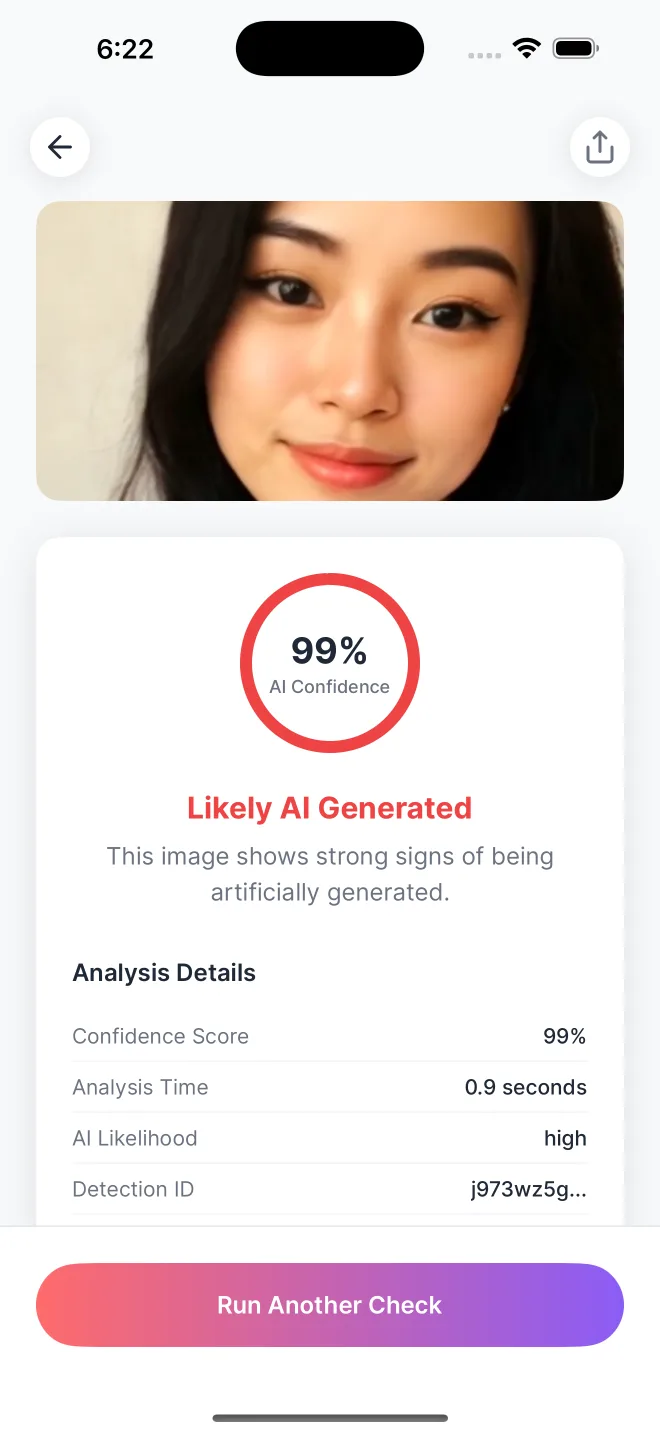
For regular checks, AI Detector - Image Checker returns the same score in under three seconds and keeps a private history on your device. Learn how the confidence score works in Do AI Image Detectors Actually Work?
What fools people most often
Screenshots are the most common false alarm. Re-compressing an image removes provenance data and some of the detector’s signal, so a real photo that has been through several apps can look unusual. Cropping hides the context that would make a scene believable or not. And a low-resolution image simply hides the fine detail that all of these checks depend on.
Compare your findings with a worked example
Our AI image checker examples pair a camera photograph of a rainbow-colored cloud with the viral Midjourney image of the Pope in a puffer jacket. You can see each image, its recorded score, the detail to inspect, and the source documenting its origin.
Follow the same order for your photo: keep the file, run a check, inspect the details, and trace the source. If the score is inconclusive, ask for the original image before drawing a conclusion from a screenshot.
Build a clear record of your image check. Trace the earliest source, check the file for provenance, run a reverse image search, and use a detector score. Keep the findings together so they are easy to review.
Common questions
How can I check a photo from Instagram or WhatsApp?
Save the image and upload it to the free AI image checker. If you can, ask for the original file instead of taking a screenshot. Compare the AI score with the earliest source you can find and any visible inconsistencies.
Can I tell if an image is AI just by looking?
Sometimes. Obvious fakes still fail on hands, text, and background logic. But the newest generators pass a casual look, so an AI detector can check details beyond a visual review. Combine them with provenance and a detector before you decide.
Is there a free way to check if an image is AI?
Yes. Our free AI image checker runs in your browser with no account and returns a 0-100% score in seconds. You can also inspect the file for Content Credentials at contentcredentials.org/verify at no cost.
How does an AI detector check an image?
A detector analyzes statistical patterns in the image and returns an AI confidence score. A high score means the image shares more characteristics with generated images.
Why do screenshots make the check harder?
Screenshots strip metadata and re-compress pixels, which removes both provenance data and some of the patterns a detector looks for. When you can, check the original file instead of a screenshot.
Check any image in under 3 seconds
Download AI Detector and get an instant authenticity score.