How to Check if a Photo Is AI-Generated on Android

There are three practical ways to check a photo for AI on Android: a visual inspection (free, a minute, catches obvious fakes), Google Lens plus a free browser checker (fine for one-off checks), or a dedicated detector app (fastest if you check images often). Android has no built-in AI image detector, so every method below either helps you judge the image yourself or sends it to a tool that scores it.
Method 1: The 60-second visual inspection
Before any tool, pinch to zoom and work through the giveaways: hands and fingers, text and logos, lighting and shadow consistency, and background details like fences, tiles, or crowds that warp or repeat. Our guide to spotting AI-generated images covers all seven checks, and Is This Image AI? walks through the fast version.
Visual inspection misses well-made images, and social media compression hides many artifacts on a phone screen. Follow up with an AI image check.
Method 2: Reverse image search with Google Lens
Google Lens can show you where else an image has appeared. On Android this is the quickest provenance check you have:
- Open the image in Google Photos or your gallery.
- Tap the Lens icon or use the Google app’s search button.
- Review the matches. If a “breaking news photo” only exists on accounts created last week, treat it with suspicion.
Lens helps you trace the source, but it does not score whether an image was generated. An image with no prior matches is not automatically AI, and one with matches is not automatically real.
Method 3: A free web-based AI image checker
For a score without installing anything, our free AI image checker runs in Chrome with no account. Upload a photo and you get the same 0-100% score the app uses, and the image is never stored. Other web tools vary widely, and many have paywalls, queues, or unclear storage policies.
Method 4: A dedicated detector app (fastest)
With AI Detector - Image Checker the whole check takes under ten seconds end to end:
- Install the app free from Google Play.
- Import the photo from your gallery or Files, or snap a picture with the camera.
- Read the result: a 0-100% score with a green, yellow, or red verdict appears in under 3 seconds.
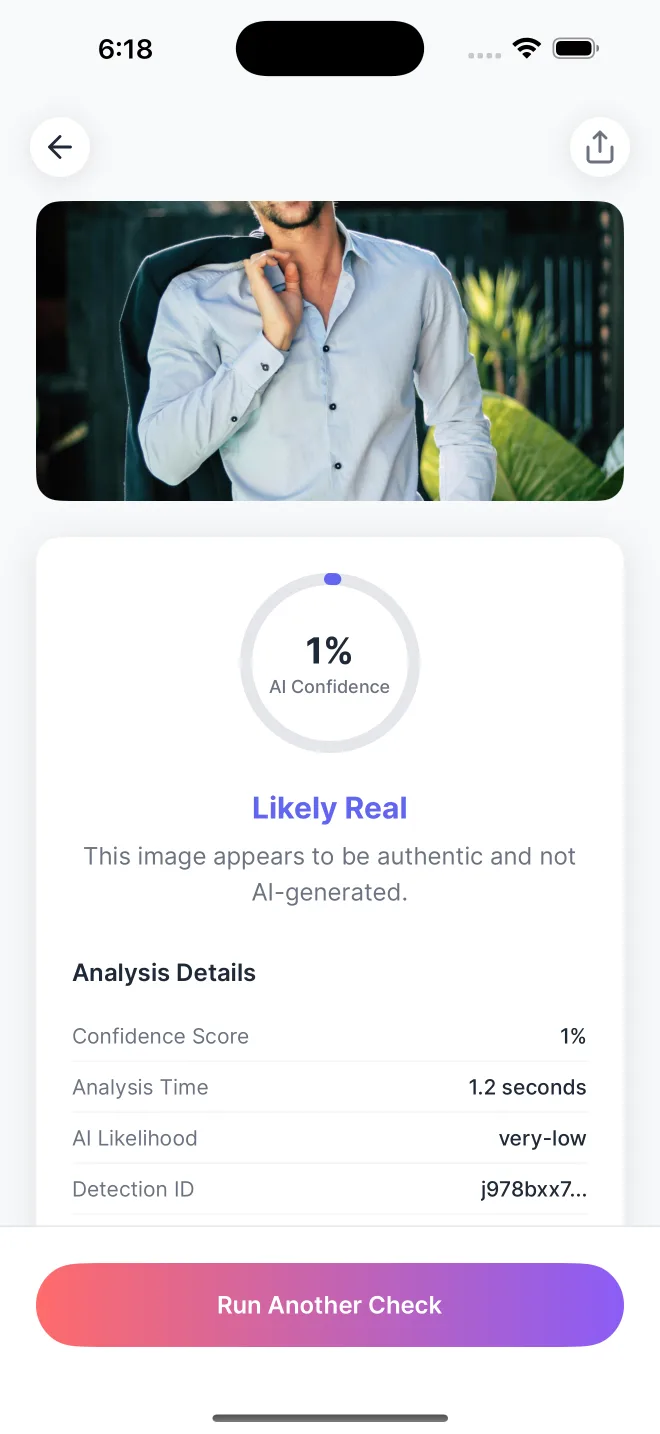
The result shows an AI confidence score. Images are never stored, analysis is deleted immediately after processing, and recent checks stay in a private history on your device. The app is also available on the iPhone if you switch devices.
Reading the score correctly
A high score means the image shares traits with generated images. A low score means it shares traits with camera-made images. The app displays the score with a color-coded result for quick review. We explain the scoring in Do AI Image Detectors Actually Work?
Common questions
Is there a built-in Android tool that detects AI images?
No. Android does not ship an AI image detector. Google Lens can run a reverse image search, which helps with provenance, but it does not score whether an image was generated. For a score you need a dedicated checker.
Can I check a photo on Android for free?
Yes. Our free AI image checker runs in Chrome with no account and returns a 0-100% score. The AI Detector Android app is also free to download on Google Play.
Does Google Lens prove an image is real?
No. Lens shows where an image has appeared before. That helps you trace the source, but a lack of results does not prove the image is AI-generated, and a result does not prove it is real.
Why does the score change when I check the same image twice?
Compression is the usual cause. Saving, messaging, or posting an image re-encodes it and can shift the statistical patterns a detector reads. Check the original file when accuracy matters.
Check any image in under 3 seconds
Download AI Detector for Android and get an instant authenticity score.